Zomato for Business
Publisher Description
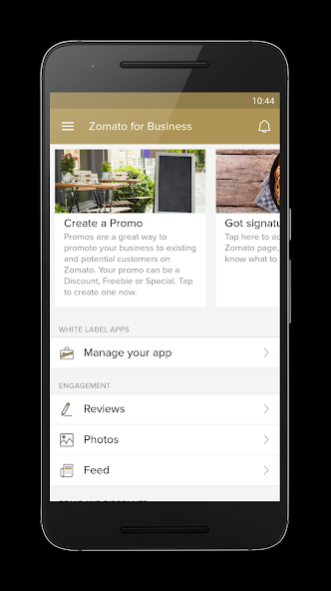
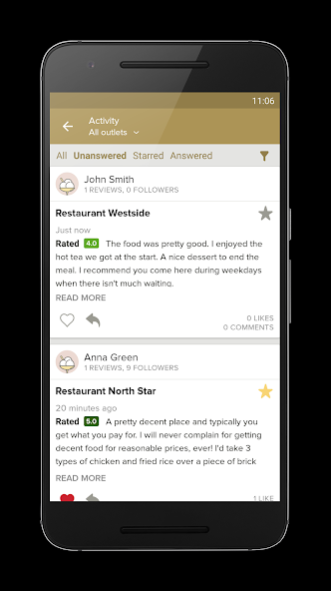
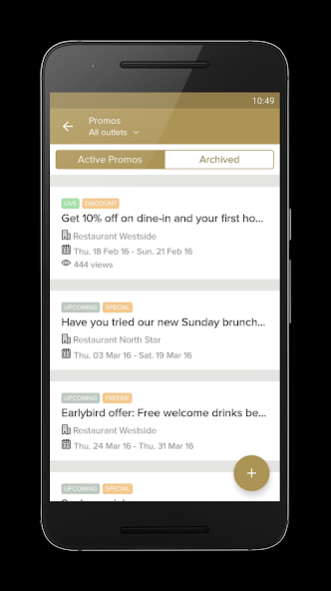
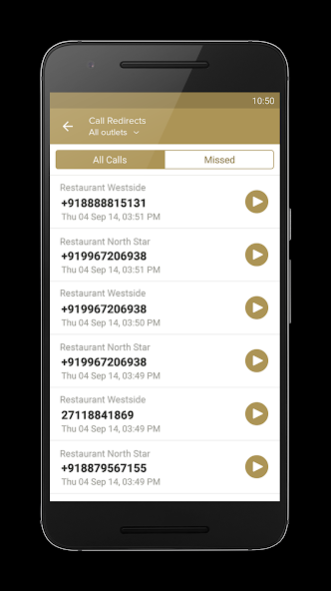
The Zomato for Business app puts the power in the hands of the business owner. With an easy-to-use interface and powerful features, it helps you get the most out of your Zomato listing. You can reply to reviews from customers, track revenue and analytics, manage your outlet information, and more.
Features:
• Reply to reviews: Get real-time notifications of new photos and reviews by your customers, and easily respond to reviews.
• Listen to conversations with customers: Listen to received calls and return missed calls from the business day.
• Manage restaurant information: Update information for your listing in real time by editing photos, menus, hours, and more.
• Add promos, deals, special menus, and events: Upload content to your listing that increases customer engagement.
• View analytics: Feel the pulse of your business. See how your page is performing on Zomato, and how many users are looking at your restaurant. If you are signed up to receive Online Orders via Zomato, you can also see the revenue generated.
• Control Whitelabel Apps: If your business has a Zomato whitelabel app, you can edit the information displayed on it using Zomato for Business as a control centre.
For more information, visit www.zomato.com/business/apps
About Zomato for Business
The company that develops Zomato for Business is Zomato. The latest version released by its developer is 1.0 . This app was rated by 2 users of our site and has an average rating of 4.3.
To install Zomato for Business on your Android device, just click the green Continue To App button above to start the installation process. The app is listed on our website since 2021-01-11 and was downloaded 2,577 times. We have already checked if the download link is safe, however for your own protection we recommend that you scan the downloaded app with your antivirus. Your antivirus may detect the Zomato for Business as malware as malware if the download link to com.application.zomatomerchant is broken.
How to install Zomato for Business on your Android device:
- Click on the Continue To App button on our website. This will redirect you to Google Play.
- Once the Zomato for Business is shown in the Google Play listing of your Android device, you can start its download and installation. Tap on the Install button located below the search bar and to the right of the app icon.
- A pop-up window with the permissions required by Zomato for Business will be shown. Click on Accept to continue the process.
- Zomato for Business will be downloaded onto your device, displaying a progress. Once the download completes, the installation will start and you'll get a notification after the installation is finished.
Program Details
System requirements
Download information
Pricing
Version History
version
posted on 2021-01-12
- Order History Fixes
⁃ Bug and performance improvements
- Crash Fixes
version
posted on 2020-10-06
⁃ Statement of Accounts Fixes
⁃ Bug and performance improvements
- Crash Fixes
version
posted on 2020-09-02
- Bug fixes and performance improvements
version
posted on 2020-06-26
Revamped ratings experience to show two distinct user ratings for delivery and dining as shown on the Zomato app.
Bugs and Performance Fixes
version
posted on 2020-06-17
New Frequently asked questions flow to resolve your queries
Bugs/Crash fixes and performance improvements
version
posted on 2016-08-28
v3.11.2,* Analytics for our Table Reservation customers to review revenue generated, bookings managed and bookings lost,* Enhanced onboarding flow in the app,* Bug fixes and performance improvements,v3.9.2,* Analytics for our Online Ordering customers to review revenue, order volumes, and delivery ratings,* More detail in customer orders and transaction history sections,* Bug fixes and performance improvements
